
It asks before it does anything you can't undo — and you can see exactly what it did.
Brotto is a Chrome extension and an AI agent that carries out a task in the browser tab you are already signed in to. Your inbox, your bank, your admin panel. Not a cloud browser you have never logged into, and not a screenshot of a page it cannot read.
Free from the Chrome Web Store, no account. Run it yourself free and permanent, or ask for a seat on the cloud beta.
What it does
Three things worth asking it
There is no form and no workflow to learn. The panel is a chat box, so whatever you can describe is the whole interface.
01
"Find me the cheapest direct flight to Lisbon in November."
It searches, compares and answers — and stops dead before it spends your money, because that part is yours.
02
"Pull Q3 numbers from the admin panel and summarise them."
Your cookies, your SSO and your MFA are already there, so there is nothing to sign in to and no second browser to trust.
03
"Add a branch protection ruleset to our repo."
The real run on the screens page, start to finish. It stops twice, both times on decisions only you can make.
Why you can leave it running
An agent holding your cookies
One wrong click and an agent with your sessions can do a lot of damage as you. Three things are built around that, and none of them can be switched off.
An agent you can disable the safety on is an agent you cannot leave running. That is the whole argument for having the gates at all.
Gate 01
It stops and asks before anything irreversible
Before it sends an email, takes a payment, deletes something, publishes or changes a password — and before it visits a domain for the first time. The card names the action, so approving it is a decision and not a gesture.
No setting turns this off
Gate 02
It writes down what it did
Every run produces a per-session record — each observation, prompt, action, approval and timing — in a document on the server that ran it. On a self-hosted install that disk is yours. That is what lets you read a run back afterwards, resume one that was interrupted, or delete it outright. It is a record, not a chat transcript.
A file, not a database
Gate 03
It tells you why it couldn't act
When a button is off-screen, covered by a cookie banner, or disabled, Brotto says so on the line the model reads — and records the reason without a coordinate, so it never retries the same wrong click.
A reason, not a retry
The part everyone asks about
It stops before it spends your money
Booking a flight costs real money and cannot be undone with an undo button, so the agent asks first. Every time — not the first time, not only when it is unsure.
This is the same card you get for a sign-in it cannot pass, a delete it cannot undo, or a domain it has never visited. It has no way to approve itself, and neither would anything you installed later.
Brotto
Find me the cheapest direct flight to Lisbon in November
Opened Google Flights and set the destination to Lisbon (LIS)
Approval needed
Booking a flight spends your money, so Brotto stops and asks. It cannot approve this itself, and neither can anything you install later.
https://kayak.com/checkout
Deny
Approve
Read the three cheapest direct results
Why it's built this way
Two decisions, and everything else follows
Most browser agents run somewhere you have never logged in. A cloud browser has no cookie jar, so every site starts at the sign-in wall — and no reputation, so the sites you actually care about serve it a bot challenge.
Your machine
Chrome extension
The part that clicks, types and reads the tab you already have open.
Your tab
Your machine
Container
The part that plans the work. About 510 MB, and it never opens a browser.
Your key
Your provider
Any of eight
Anthropic, OpenAI, Gemini, MiniMax, OpenRouter, DeepSeek, Groq, or your own.
It drives your tab, not a cloud browser
Your cookies, your MFA, your SSO: simply there. Nothing to sign in to, because it is already signed in.
It reads the page, not a screenshot
The structure the page already publishes — what is a button, what it is called, what is in it. No vision model, no image tokens.
In the panel
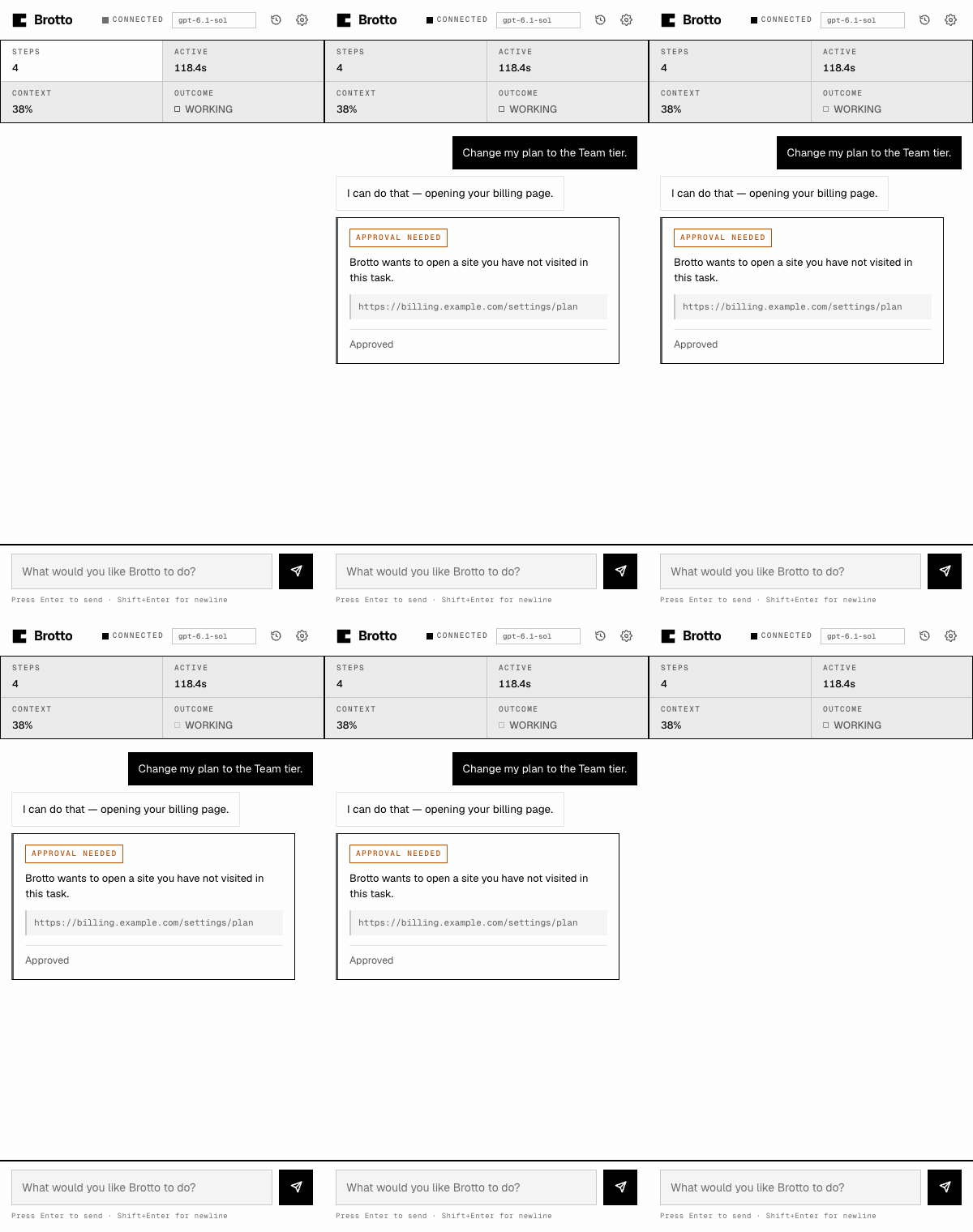
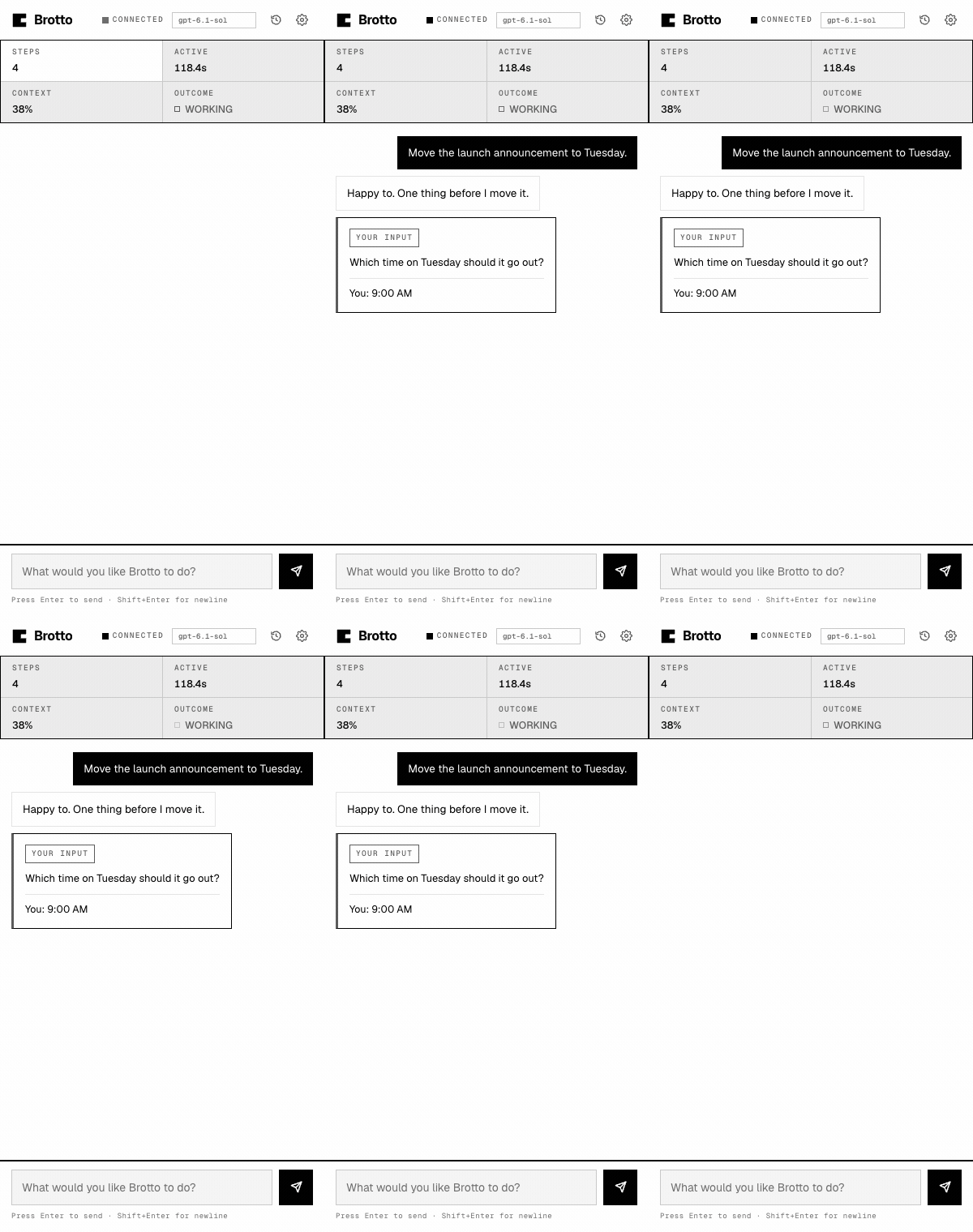
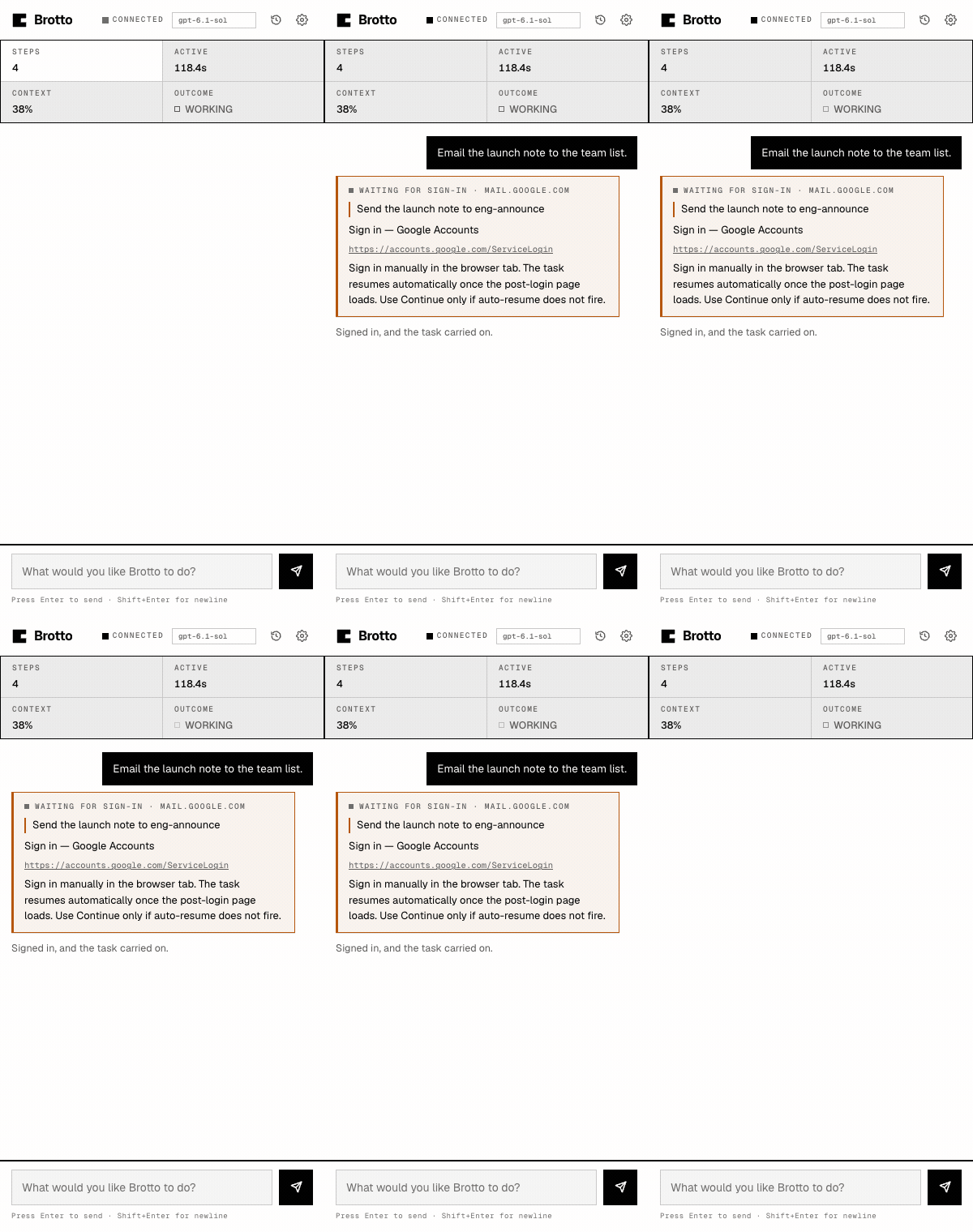
Three cards
Brotto stops and asks rather than guessing. A site it has not visited, a question only you can answer, a sign-in only you can do. Each one resolves in place, so the run reads as a conversation and not a log — and these are the real panel, rendered from the extension itself. All seven screens, including one run in four moments.
Install
One click, then a chat box
Adding it from the Chrome Web Store is the whole setup: no account to make, no card, nothing to try that runs out. Open a page you are already signed in to, press the icon, and write what you want.
Where the agent runs is your call, and the store install works with either. Run it yourself is free and permanent under Apache 2.0, with everything Brotto keeps on your own disk. Brotto Cloud is the same extension with the server run for you, on an invite. Compare the two.
Free, and it stays installed until you remove it. Chrome asks you to confirm the permissions it needs before anything runs — the privacy policy says what each one is for, and the security notes cover the parts that cannot be switched off.
Next
Not built yet
Ordered by what unblocks the most people. None of these exist yet — this is the honest list, in the order they are planned.
01 · Planned
Vision fallback
Google Sheets draws itself to a canvas and publishes nothing to read. A screenshot, sent only when a page has no structure — vision as the fallback, not the default.
02 · Planned
A published benchmark
Until it scores real runs, any reliability number in this space is a guess — including ours. The harness measures perception and actions with no model in the loop.
03 · Planned
Routines
Saved, reusable tasks — every weekday, summarise these — and re-running or resuming from the record.
04 · Not built
Pro
Pro is not built. If it ever is, it would carry multi-tab parallelism, a speed pack and per-run cost caps — and Brotto stays Apache 2.0.
Where your data goes
Your pages reach the model. On a self-hosted install, nobody else.
The browser runs on your machine. The part that plans the work runs on a server you run, so page observations transit it — that is inherent to the design. What you choose is that nobody is on the other end.
There is also a capped, invite-only hosted relay at
agent.brotto.dev, which we operate. On that one there is an
operator: page observations transit a machine we run. Self-hosting stays
free and permanent. Both deployments are covered in the
policy. The invite path is Brotto Cloud.
Page text is redacted first
Credentials, API keys, bearer tokens, card numbers and government identifiers are stripped before it reaches the provider — on every task, with no setting to disable it.
A summary, not a copy
A run leaves a short summary of each page rather than the page itself. What you typed and what the agent wrote about the page stay in the record.
Your key never touches disk
Held in memory for the run, by Brotto, anywhere. No credit balance and nothing to top up — your key, your provider, your money. An account is only on the cloud beta; a self-hosted install needs none.
Deletion is yours
Every session has a delete button with a confirmation, and
DELETE /v1/sessions takes the lot.
Both of those are written out in full: Privacy and Security.
Writing
How it actually works
Notes on the parts of this that took the most work, written for anyone deciding whether to trust a browser agent with their own session.
- Twenty tabs, one sentence 2026-10-09 Why cloud browser agents ask for your passwords, and what it looks like to drive the tab you are already signed into. One real run, start to finish.